How to Renew NOL Card & Monthly Travel Pass in Dubai
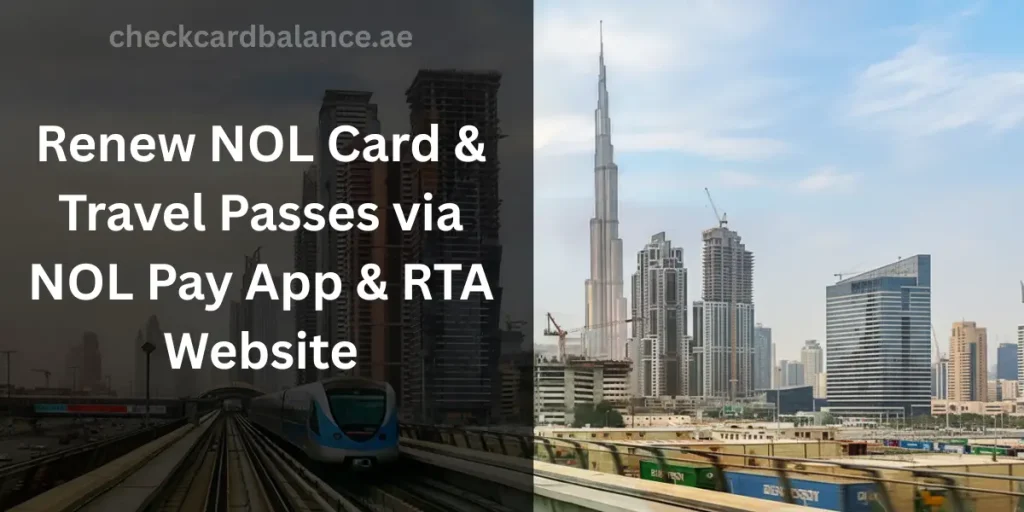
If you’ve been living in Dubai for quite some time now, your NOL card is most likely the most-used item in your wallet. It’s definitely small, but it has made your commute less hectic. But when it expires, your smooth transport turns into a small crisis.
The RTA oversees multiple passengers utilizing Dubai’s public transport network. NOL cards support multiple travel pass options, and most renewals are completed through the NOL Pay app or the official RTA website.
Now that we’re done with the overview, we’ll be walking through the importance of renewing your NOL card, types of travel passes, steps to renew it, and how long the renewal process usually takes.
Why Is It Important to Renew Your NOL Card Before Expiry?
Honestly speaking, most people don’t care about renewal until they notice it’s expired. It’s very easy to forget about expiry dates since your card works quietly in the background. But renewing it will save you from unexpected charges and awkward delays during rush hour.
Avoid Metro & Bus Service Interruptions
Once your card expires, the system won’t allow you to enter through the metro or bus gates. You’ll have to step away and recharge (or renew) and possibly miss your ride. It’s better to renew early to avoid such interruptions.
Accurately manage your balance.
If you’re unable to notice that your monthly pass has expired, then the system automatically switches to pay-per-trip deduction. So your balance starts dropping faster than you expect. Make sure to review on time so you don’t have to face surprise charges.
Protection from Expired NOL Card Penalties
Expired passes block entry, but an expired card’s validity causes extra hurdles. You’ll be pushed to transfer your balance or visit their office for assistance. It’s best to renew before expiry keeps so you can avoid unnecessary complications.
Types of Travel Passes you can renew.
Before you renew anything, it’s better to make sure exactly WHAT you’re renewing. Whether you’re an employee, tourist, or student, there are passes designed based on your occupation.
| Passes Type | Validity | Cost (All zones) | Suitable for |
| 7-Day Pass | 7 days | 112 AED | Tourist that want to visit a few spots |
| 30-Day Pass | 30 days | 354 AED | Students, office-going & regular commuters with an add-on of a monthly or 90-day pass |
| 90-Day Pass | 90 days | 836 AED | Long-term residents who want better savings |
| 365-Day pass | A whole year | 3,102 AED (pay per trip) | For those who want to feel rich in gold class transports and hate crowds |
Additionally, these prices reflect all zones that’re visited by daily commuters.
Step-By-Step methods to renew your NOL pass

The process to renew your NOL card or monthly is actually pretty simple. You can do it from your phone, laptop, or even head directly to a metro station. Let’s walk through each step so you can choose what’s best for you.
NOL Pay App Renewal Method
- Install the NOL Pay app on your phone and turn on NFC for reading your card
- Log in or create your account, tap your NOL card and scan it
- Select the “travel pass” option and choose its duration (7, 30, or 90 days)
- Select your required zones and confirm your payment details
- Tap your NOL card once more to write your new pass onto the card
RTA Website Renewal Method
- Visit the RTA website and log in (or create) your account
- Enter your NOL card number in the services section
- Choose the “Renew Travel Pass” option and the desired duration
- Confirm your zones and proceed to online payment
- Once the payment is done, have your card validated at your nearest metro gate or ticket machine
Metro Station Ticket Vending Machine
- Head to your nearest Dubai Metro station and find a TVM (Ticket Vending Machine)
- Insert your NOL card into the machine and choose “travel pass” from the options.
- Select the duration and the correct zones
- Review the final cost on the screen and pay the fee
- Wait for the confirmation and collect your card
Ticket Office Machine Renewal Process
- Visit your nearest metro station and locate its ticket office
- Give your NOL card to the staff and inform them about the duration and zones
- Confirm the final cost and proceed with payment via card or cash
- Wait until the staff updates your card in the system
- Collect your renewed card, and you’re good to go
NOL Card Renewal Processing Time
You went through the whole application process, all that’s left is the waiting period. On the bright side, the process is usually finished instantly. But the timing varies slightly depending on your renewal method.
App Renewal Processing Time
The entire process usually takes about 3 minutes from start to finish. Renewing your NOL card through the app is usually the fastest and most efficient way. All you need to do is tap your card using NFC to activate the updated pass.
Website Renewal Processing Time
This one usually takes about a few minutes after the validation. Online renewal through the RTA website confirms your payment immediately. Although you probably have to validate the card at a ticket machine or metro gate.
TVM & Ticket Office Renewal Time
From start to end, its renewal usually takes about 5 minutes. The card is renewed instantly at Metro TVMs and is activated once the payment is processed.