NOL Card Balance Transfer | Easy NOL-to-NOL Credit Sharing Guide
Running out of balance on your NOL card right before a trip can be stressful, especially when there is no nearby recharge machine or counter. But what if a friend or family member traveling with you has extra credit on their NOL card?
Good news: Dubai’s RTA makes this situation easier with the NOL Card Balance Transfer feature, allowing you to transfer balance from one NOL card to another using a smartphone.
This guide explains how NOL-to-NOL balance transfer works, what you need to use it, and important things to know before transferring credit.
NOL Card Balance Transfer – Quick Overview
| Feature | Details |
| Transfer Type | NOL Card to NOL Card |
| Required App | RTA Dubai App |
| Technology Used | NFC (Near Field Communication) |
| Transfer Speed | Instant |
| Phone Requirement | NFC-enabled smartphone |
| Card Availability | Both cards must be physically present |
| Best Use Case | When recharge options are unavailable |
What Is NOL Card Balance Transfer?
NOL Card Balance Transfer is an RTA feature that lets users share credit between two NOL cards. Instead of recharging at a machine or service center, you can move balance directly from one card to another using the RTA mobile app and NFC-enabled smartphone.
This feature is especially helpful when:
- Your NOL card has insufficient balance
- Recharge locations are unavailable
- A companion has spare credit they want to share
It is fast, secure, and designed for everyday commuters in Dubai.
How to Transfer Balance from One NOL Card to Another
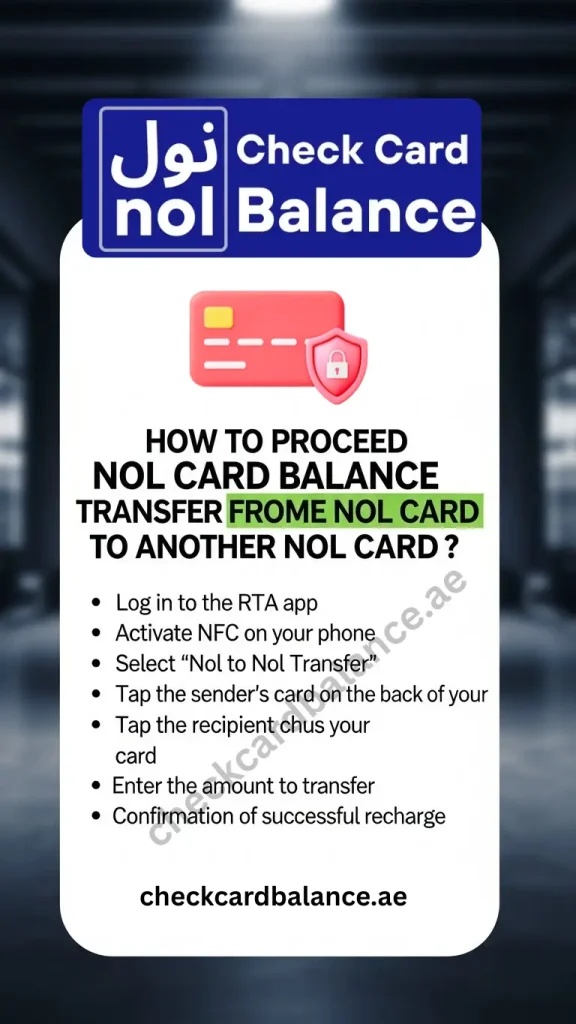
To complete a NOL-to-NOL balance transfer, follow these simple steps:
- Open the RTA Dubai App
Download and log in to the official RTA mobile app on your smartphone. - Enable NFC on Your Phone
Make sure NFC (Near Field Communication) is turned on in your device settings. - Select “NOL to NOL Transfer”
Inside the app, choose the balance transfer option. - Tap the Sender’s NOL Card
Place the NOL card that has available balance on the back of your phone. - Tap the Receiver’s NOL Card
Now tap the NOL card that will receive the credit. - Enter the Transfer Amount
Choose how much balance you want to share. - Confirm the Transfer
Once completed, the balance is added instantly to the receiving card, and you can immediately check NOL card balance via the app.
After the transfer, the receiver can travel immediately or verify the updated balance through official RTA services.
What Is NFC Technology and Why Is It Required?
NFC (Near Field Communication) is a wireless technology that allows devices to exchange data when placed very close together, usually within 4 cm.
Most modern smartphones come with built-in NFC chips, making contactless payments, card reading, and NOL balance transfers possible.
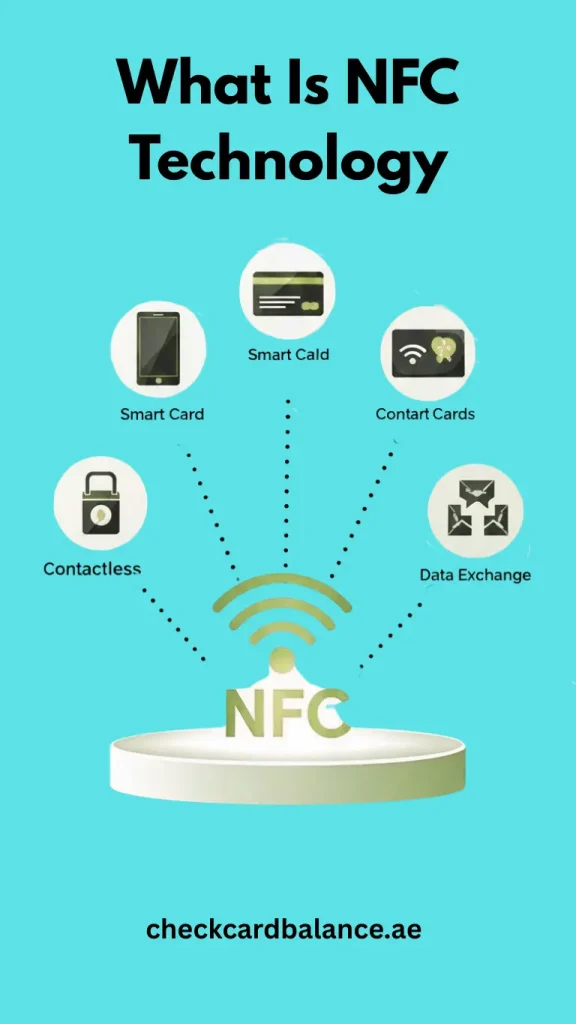
How NFC Works in NOL Card Transfer
This technology ensures fast transactions without manual input or physical terminals.
How to Check If Your Phone Supports NFC
Not sure whether your phone supports NFC? Here’s how to check:
- Open Settings on your phone
- Type NFC in the search bar
- If NFC appears, your device supports it
- Turn NFC ON before starting the transfer
If NFC is not available, you won’t be able to use the NOL balance transfer feature, which may affect users with a NOL Card Monthly Pass.
Important Things to Know Before Transferring Balance
- NFC must be enabled during the transfer
- Both NOL cards must be physically present
- Metal phone cases may block NFC signals
- Transfers work best with plastic or silicone covers
- The process is instant once confirmed
FAQs
Final Thoughts
The NOL Card Balance Transfer feature is a smart solution for moments when recharging is not an option. With just a smartphone and NFC, you can quickly share credit between NOL cards and continue your journey without delays.
By following the correct steps and ensuring your phone supports NFC, the transfer process remains smooth and reliable. Whether you are a student using a Student NOL Card or someone who travels now and then, this feature makes public transport in Dubai more flexible.
If you still have questions or face issues during the transfer, RTA customer support can assist you further.